


Cloudgate: Cloud Storage Drive
4.4115.00 Reviews
App Specs
- Version
- 7.6.1
- Updated On
- License
- Free
- Downloads
- 100,000+
- Developer
- CloudGate Technologies
- Categories
- Productivity
- Platform
- Android
Screenshots
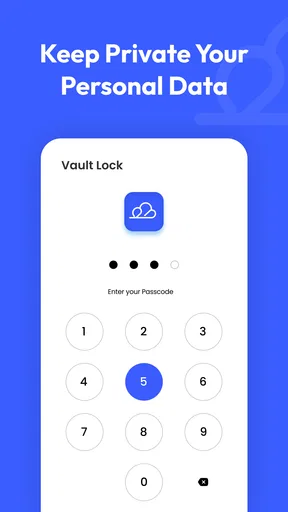
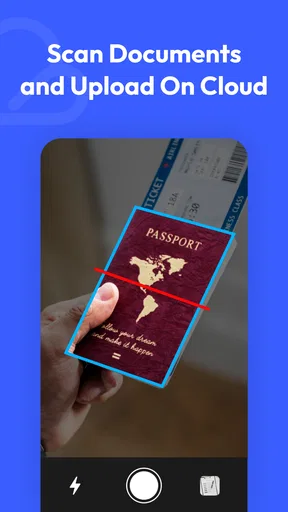
 Analysis by AppCompare
When I choose a cloud storage app, I want to know two things before moving anything important: whether it fits the way I already store files, and whether it solves a problem I actually have. Cloudgate: Cloud Storage Drive is aimed at people who want a central place for cloud files, photos and videos, rather than another complicated productivity system. I’d consider it when scattered accounts make everyday retrieval annoying, but I wouldn’t treat any new service as a complete backup plan until I had tested how it handles my own files.
Start with the problem you want to solve
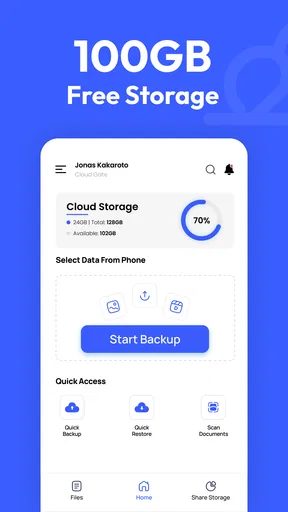
For me, the useful question is not simply how much space an app offers; it’s whether I can find, move and access the things I need without adding extra steps. Cloudgate is a free productivity app from CloudGate Technologies, and its focus is cloud file storage and management. It has an average rating of 4.4 from around 1.7 thousand ratings, with over 100 thousand installs. That gives a potential user some context, but my decision would still depend on whether its workflow suits my accounts and habits.
The app is rated for Everyone and runs on Android 7.0 or later. Its current version is 7.6.1. The basic download is free, while in-app purchases range from $1.99 to $179.99 per item, so I’d check the purchase details in the app before committing to a paid option. If you mainly want a place for occasional documents, a service you already use may be enough. If your files are spread across several cloud accounts, a consolidated view is a more compelling reason to try it.
Where a central view can help
The strongest case for an app like this is reducing the mental effort of remembering where something lives. A student could keep class notes in one account and project materials in another, then use a single app as a starting point when searching or sharing. A freelancer might need to retrieve a client document from one service and move it to another without repeatedly opening separate apps. That convenience matters most when the task is frequent; for a file you open once a month, switching services may be more trouble than it saves.
I’d also use a central view as a practical inbox for incoming work. For example, after a meeting, I could locate a shared presentation, check that I have the right version, and then organize it with the related files. The useful habit is to keep the app as a way to navigate and manage files, while maintaining a clear folder structure in the storage services themselves. That makes it easier to switch tools later and lowers the risk of relying on a single interface to understand where everything belongs.
Where other approaches may be better
Compared with using each cloud provider’s own app, a multi-service tool can save the repeated sign-ins and app-hopping that slow down simple tasks. The trade-off is that a provider’s native app is often the natural place to handle its own account settings and provider-specific workflows. If you mostly use one service, its own app may be simpler, and there may be little benefit in adding another layer between you and your files.
Compared with a traditional file manager, Cloudgate is more relevant when the files already live in cloud accounts. A local file manager may be a better fit if your main concern is sorting downloads and documents stored on your device. And compared with a dedicated backup routine, a cloud-drive interface should not be assumed to protect every file automatically. I’d test the precise actions I depend on, and keep another copy of irreplaceable material rather than treating convenience as a guarantee of backup.
Worth Reading Before You Choose

EA SPORTS FC Mobile 26 Is a Bigger Football Game, but It Takes Time

Flipboard Shows What News Apps Must Do Beyond the Feed

Switching to Android Auto Means Rethinking Your Driving Routine

Google Calendar Makes a Crowded Week Easier to Manage

Ludo King Makes the Most of the Minutes Between Plans

Baby Panda World Brings Quick Play to Modern Phones, but Its Game Library Feels Busy
Try it without disrupting your routine
Before moving a large library or changing how I share work, I’d begin with a small test: connect the accounts I actually use, locate a few familiar files, and try one ordinary task such as opening or transferring a document. Then I’d check the result in the destination service itself. This is a useful way to catch confusing folder behavior or a slower-than-expected transfer before the app becomes part of a deadline-sensitive workflow.
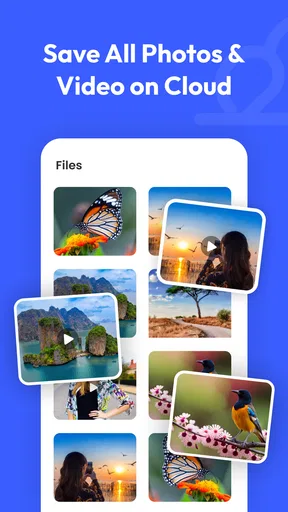
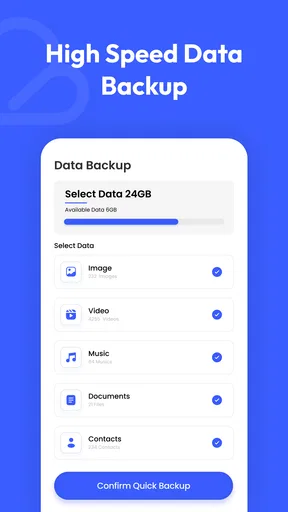
Photos and videos deserve a separate test because they can be larger and more numerous than everyday documents. I’d try a representative sample first, then see whether the app’s handling matches what I need for browsing and retrieval. Cloudgate’s store summary emphasizes cloud storage for these media as well as files, but I would not infer that every library-management or automatic-backup behavior is included. For an important photo collection, I’d keep the original source and verify that anything I intend to preserve is actually available where I expect it.
Think through the cost of switching
Changing storage habits has a hidden cost: time spent reconnecting accounts, learning where actions are performed, and explaining a new sharing routine to other people. I’d avoid moving everything at once. Keeping the existing provider apps available while testing Cloudgate gives me a fallback, and it helps separate a useful shortcut from a workflow that only looks convenient at first.
Sharing also needs a quick reality check before it becomes part of a team routine. I’d send a low-stakes file to someone I trust and confirm that they can access the intended item, rather than assuming every link behaves the same way across services. If recipients already work comfortably with the original provider, sharing directly from that provider may be clearer. A central app is most valuable when it reduces friction for both the person sending a file and the person receiving it.
One practical question is whether the free option is enough. I’d start there and only consider an in-app purchase after identifying a specific limit that affects my normal use; the available purchase range is broad, so the exact option matters more than the headline price. Another is whether the app suits an older device: Android 7.0 is the minimum requirement, which makes checking the device’s software version a sensible first step.
Why Cloudgate Stands Out
First off, Cloudgate does what it promises: it consolidates all your cloud storage services into one seamless experience. Imagine not having to switch between Google Drive, Dropbox, and iCloud. Instead, everything is neatly organized in one place. It’s like having a super-powered virtual filing cabinet at your fingertips.
Easy Setup and User-Friendly Interface
Setting up the app was a breeze. I was a bit skeptical at first, thinking it would take ages to sync all my accounts, but it was surprisingly quick. The user interface is clean and intuitive, making navigation a no-brainer even for those who aren’t tech-savvy. You just log in to your cloud accounts through Cloudgate, and voilà! All your files appear in an easy-to-navigate format.
Seamless File Management
What I love most is the app’s file management system. You can search, organize, and manage files across different platforms without breaking a sweat. Need to move a document from Dropbox to Google Drive? No problem. Cloudgate handles it like a pro. It even allows for offline access to your files, which is a lifesaver when you’re on the go and Wi-Fi is spotty.
Security and Peace of Mind
Now, let’s talk security. With so many cyber threats these days, the thought of centralizing all your files might raise some eyebrows. But fear not! Cloudgate uses robust encryption to ensure your data stays safe and sound. I felt comfortable knowing that my sensitive files were protected by top-notch security measures.
Collaboration Made Easy
For those of us who frequently collaborate with others, this app is a godsend. It makes sharing files with team members a walk in the park. You can easily send links or share entire folders, and the recipients don’t even need to have the app installed to access the files. Talk about convenience!
Room for Improvement
As much as I adore Cloudgate, it’s not without its quirks. Occasionally, there’s a slight lag when loading large files, and I wish there were more customization options for organizing files. But these are minor inconveniences compared to the overall functionality and ease of use.
Another thing I’d love to see is integration with more cloud services. While it covers the big players, adding support for lesser-known platforms would make it even more versatile.
Final Thoughts
In conclusion, Cloudgate: Cloud Storage Drive is a must-have for anyone looking to streamline their digital life. It’s like having a digital personal assistant that keeps all your files in check while ensuring top-level security. Whether you’re a student, a professional, or just someone who loves to keep things organized, this app is worth every byte.
So, if you’re tired of jumping between multiple apps to manage your files, give Cloudgate a try. You might find yourself wondering how you ever lived without it!
Who I’d recommend it to
I’d give Cloudgate a trial if I regularly juggle files across cloud accounts, share material with people who use different services, or want one place to begin when I’m looking for a document. Its appeal is practical rather than flashy: fewer context switches can make a small but repeated chore less irritating. It is less compelling for someone who keeps everything in one provider already, needs a local-only organizer, or cannot afford any uncertainty when handling time-critical files.
My recommendation is to treat it as a convenience layer and judge it on a few real tasks, not on the promise of a tidier digital life alone. Start with non-sensitive files, verify transfers and sharing at their destination, and keep an independent copy of anything irreplaceable. If those checks feel smooth and the app saves you effort week after week, it has earned a place in your routine. If it adds another login or leaves you unsure where the authoritative copy lives, sticking with your existing provider is the more sensible choice.
Pros
- Easy-to-use interface for seamless navigation.
- Generous free storage options available.
- Supports multiple file formats for uploads.
- Secure encryption for data protection.
- Cross-platform sync for convenience.
Cons
- Limited offline access to files.
- Ads present in the free version.
- Premium plans can be pricey.
- Occasional sync delays reported.
- No advanced file editing tools.
FAQs for Cloudgate: Cloud Storage Drive
What is Cloudgate: Cloud Storage Drive?
Cloudgate: Cloud Storage Drive is a cloud-based storage application that allows users to securely store, access, and manage their files from any device. It offers seamless integration with multiple devices, ensuring that your data is always within reach. With its user-friendly interface, Cloudgate simplifies the process of file management and sharing.
How secure is my data on Cloudgate?
Cloudgate prioritizes data security by employing advanced encryption methods to protect your files both during transfer and while stored on their servers. The app also offers two-factor authentication, ensuring that only authorized users can access your data. Regular security audits are conducted to maintain high standards of user privacy and data protection.
Can I access my files offline with Cloudgate?
Yes, Cloudgate allows users to download files for offline access. This feature is particularly useful for users who need to view or edit documents without an internet connection. Simply select the files you need and download them onto your device for uninterrupted access, no matter where you are.
What storage plans does Cloudgate offer?
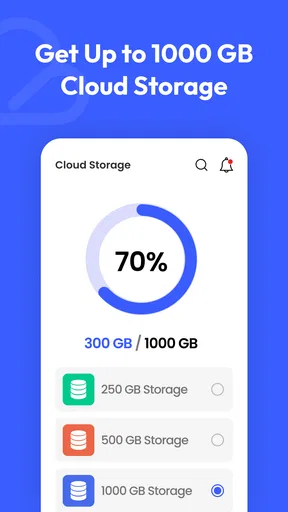
Cloudgate offers a range of storage plans to suit different user needs, from free basic storage for light users to premium plans with extensive storage capacity for businesses and heavy users. Each plan includes varying levels of customer support and additional features, so users can choose the plan that best fits their requirements.
Is Cloudgate compatible with other apps and services?
Cloudgate is designed to integrate smoothly with a variety of other apps and services, enhancing its functionality and usability. Whether you need to connect with productivity tools, collaboration software, or other cloud services, Cloudgate ensures compatibility and ease of use, making it a versatile choice for managing your digital assets.


